INSTRUCTION MANUAL
You must know:
Must be installed the upgrade software with attached CD before use this intelligent battery.
For system upgrade, connect the AC power adapter only. No need to install the battery.
Keep connect the AC power adapter during the upgrade process.
1. Copy the installation file "SonyBiosPatch_xxx.rar" and instruction manual from attached CD to your computer, and then unzip the file.
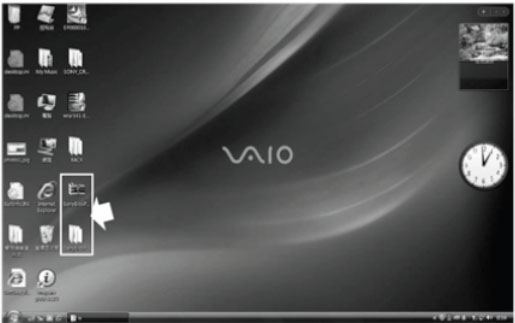
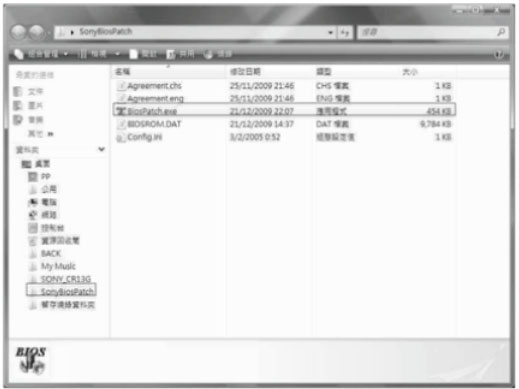
2. Open the SonyBiosPatch folder, double click file "BiosPatch.exe" to start the installation process.
3. And then, system will distinguish the computer haven't install battery. The software installation terminate and appears the error message.
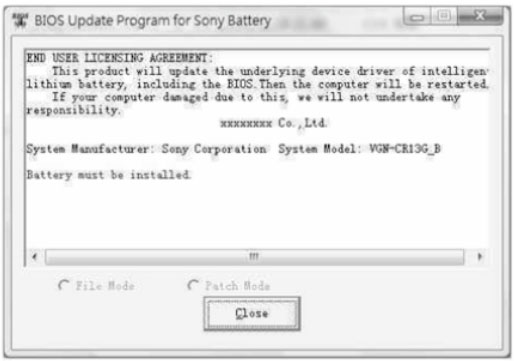
4. Close the installation program, insert this Intelligent Battery and double click "BiosPatch.exe" to restart the software installation.
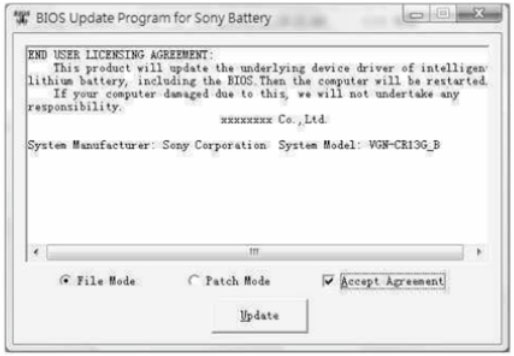
5. If all conditions are satisfied, the update windows will pop-up.
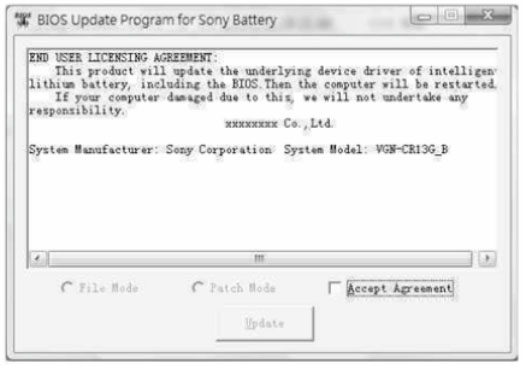
6. Chooses the "Accept Agreement" select box, it has been default in "File Model". Simply click "Update" to begin to upgrade. The upgrade process will automatically back up the original BIOS. The computer will reboot automatically after the BIOS update is complete.
Note:
"File Mode" is the safe mode, it will automatically back up the original BIOS file before update. Higher security level. Recommend to uses for update.
"Patch Mode" will update BIOS patch files. The security level is inferior to "File Model"
|